
Hackathons

Use Lightning AI to organize hackathons to enable teams to work on ML projects together, on the cloud, with a set budget of cloud credits. Hackathon participants can publish their ML projects for anyone to run, or easily turn that into a viable business. This guide describes how to organize a hackathon with Lightning AI.
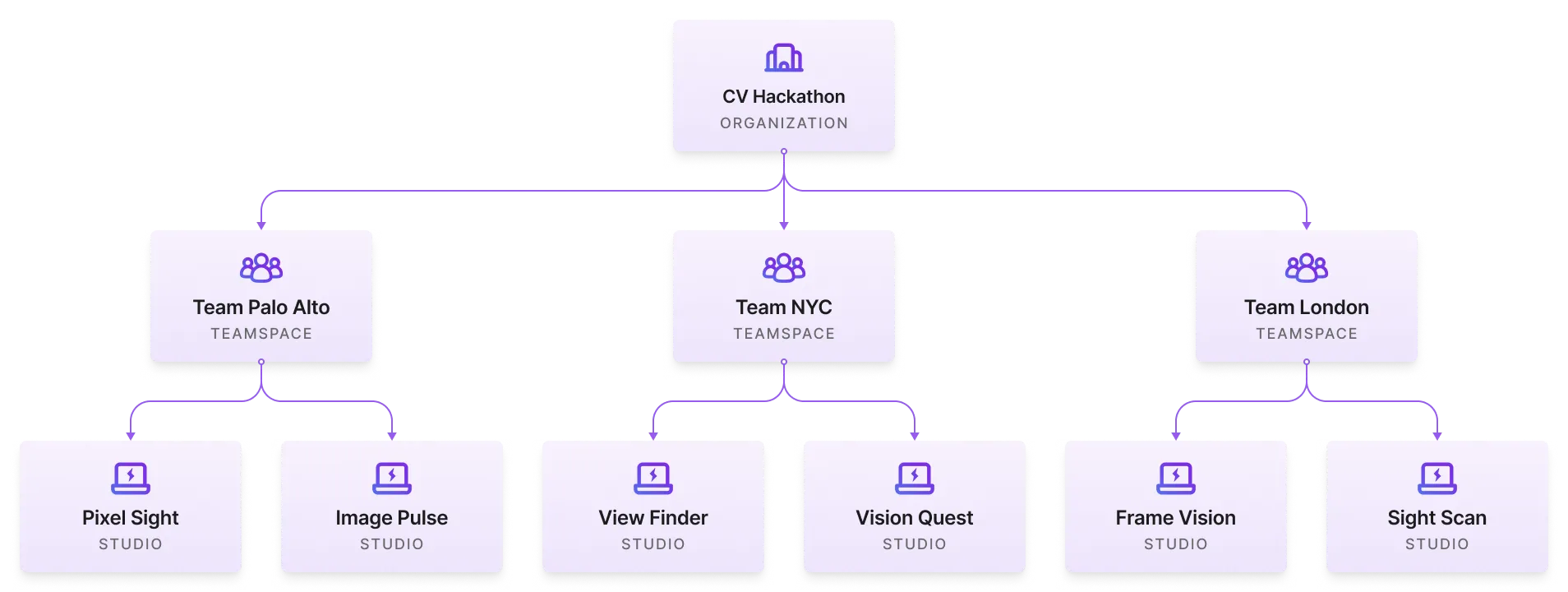
Set up a hackathon
Create an organization
First, create an organization with the hackathon name.
Create an organization for your hackathon.
Then, invite participants to the organization.
Invite members to your hackathon organization.
Create a teamspace per team
Within the organization, create a teamspace per project or team. A teamspace groups studios under a single shared filesystem and grants access to those resources only to those team members.
Create a teamspace per project / team.
Once the teamspace is created, assign the teamspace the following:
- credits
- access to the datasets they need
- access to specialized compute resources (as needed)
Add credits, copy templates with datasets included, and connect your cloud.
Publish seed templates
For teams to start building, we recommend you publish a few starter templates internally that are only visible to those organization members.
Publish starter Studios to your organization's internal Studio templates gallery.
Organization members can duplicate and start from those templates.
Members can duplicate from templates to jumpstart their work.
One Studio per task
Within a teamspace, we recommend you structure each part of a pipeline or task as its own Studio. For example, create one Studio that trains a model and create a second Studio that deploys the model.
Publish the finished projects
Once the hackathon is done, teams can keep their Studios private or share them with the community for others to duplicate and run.
Publish finished projects to the community.
Advantages
Running hackathons on Lightning AI offers many advantages.
Set a budget
Lightning AI is the only platform in the world that lets you set a budget for a team to spend on cloud compute. This allows hackathon organizers to more efficiently use cloud credits and build more meaningful projects.
Set a budget for your teamspace and monitor credit consumption in teamspace settings.
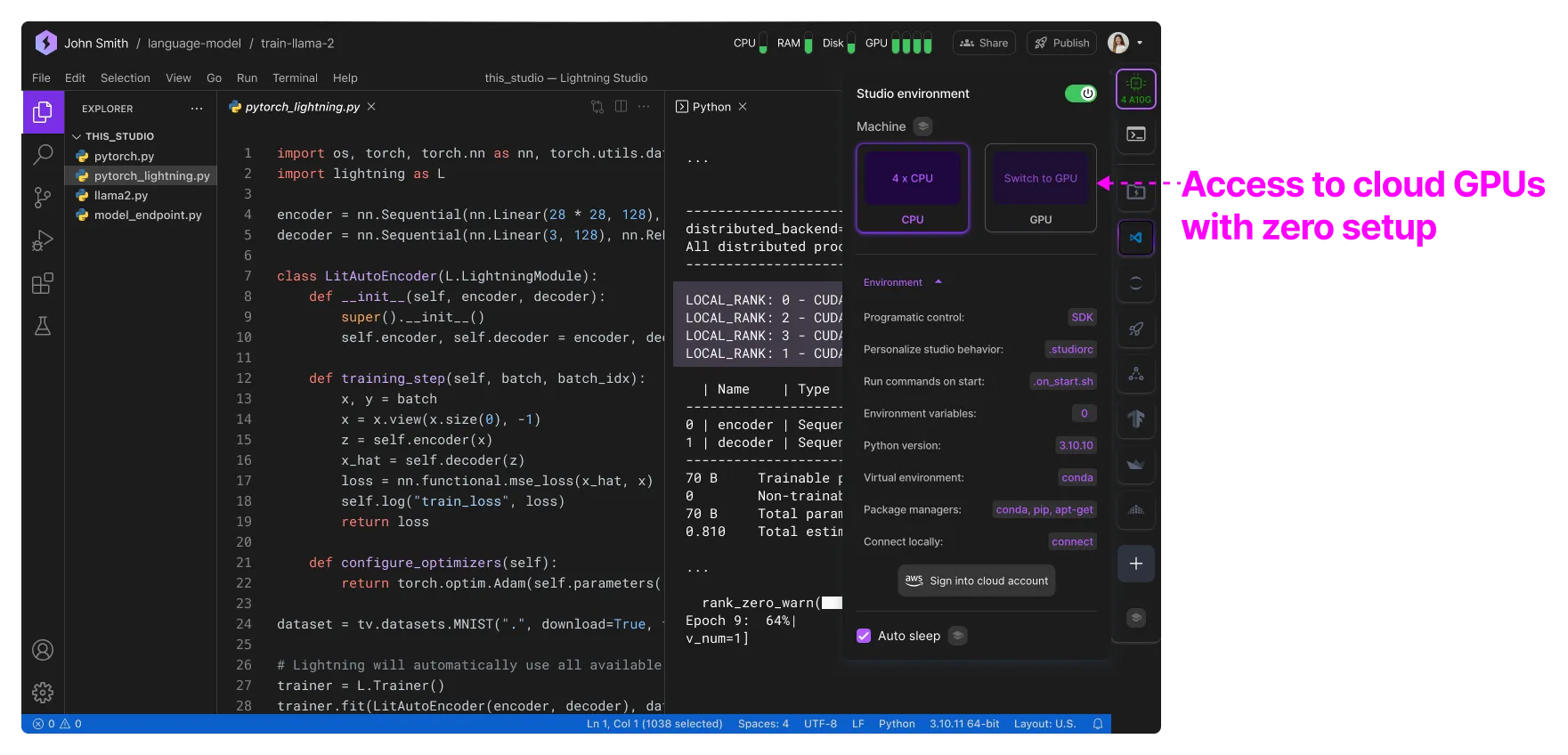
Cloud GPUs with zero setup
Most AI today requires cloud GPUs or access to high-performance compute resources. Hackathon participants can instantly start a Studio and get on cloud GPUs without any friction. The work they do there can extend to a real product.
From POC to production
Studios are used to deploy and scale some of the world's largest models across universities and enterprises. Hackathon participants can quickly turn a POC they built during a hackathon into a production system without having to set up everything again. Enable your hackathon participants to build real products and businesses faster than ever.

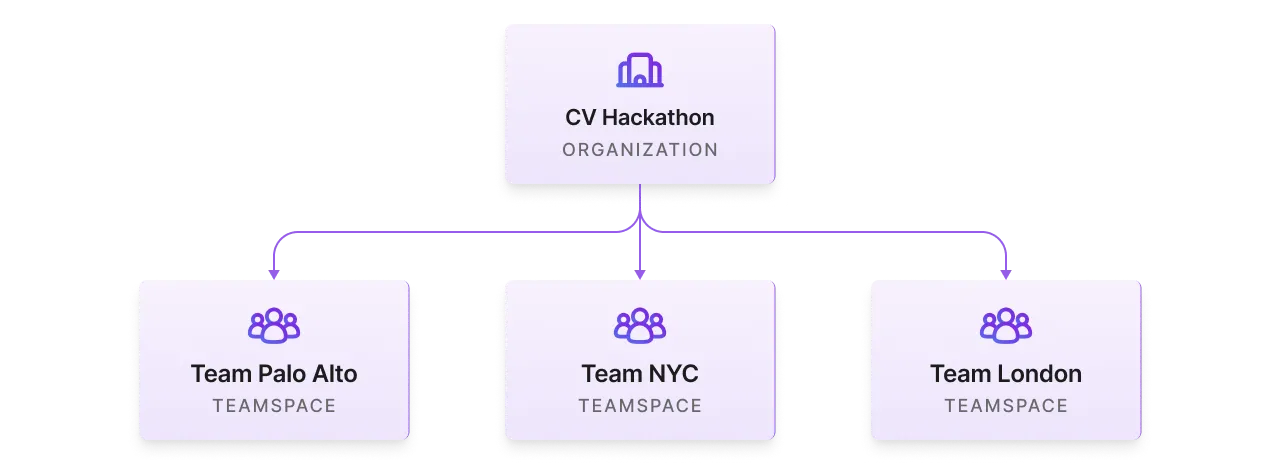
Organize teams
Hackathon administrators can create a teamspace for each different team so that they have a budget and isolate private data access.
Publish finished work
Studios can be made public and published to the world immediately after the hackathon finishes. Share on Twitter, social media, and instantly get prototypes and apps into the hands of millions of users. Participants can also deploy AI apps via the platform to get initial product-market-fit and scale their products.
Publish finished work to the public to be reviewed, reproduced and reused by the community.
Was this page helpful?
Thanks for the feedback.