
Self-serve vLLM inference server
Run your own vLLM inference server on Lightning AI by deploying the official vllm/vllm-openai container as a Deployment. Fully control your model weights, configuration, autoscaling, authentication, and more.
Deploy the server
- Navigate to the Inference tab of a teamspace (
https://lightning.ai/<org-name>/<teamspace-name>/deployments) or My Inference (https://lightning.ai/<org-name>/my-deployments).
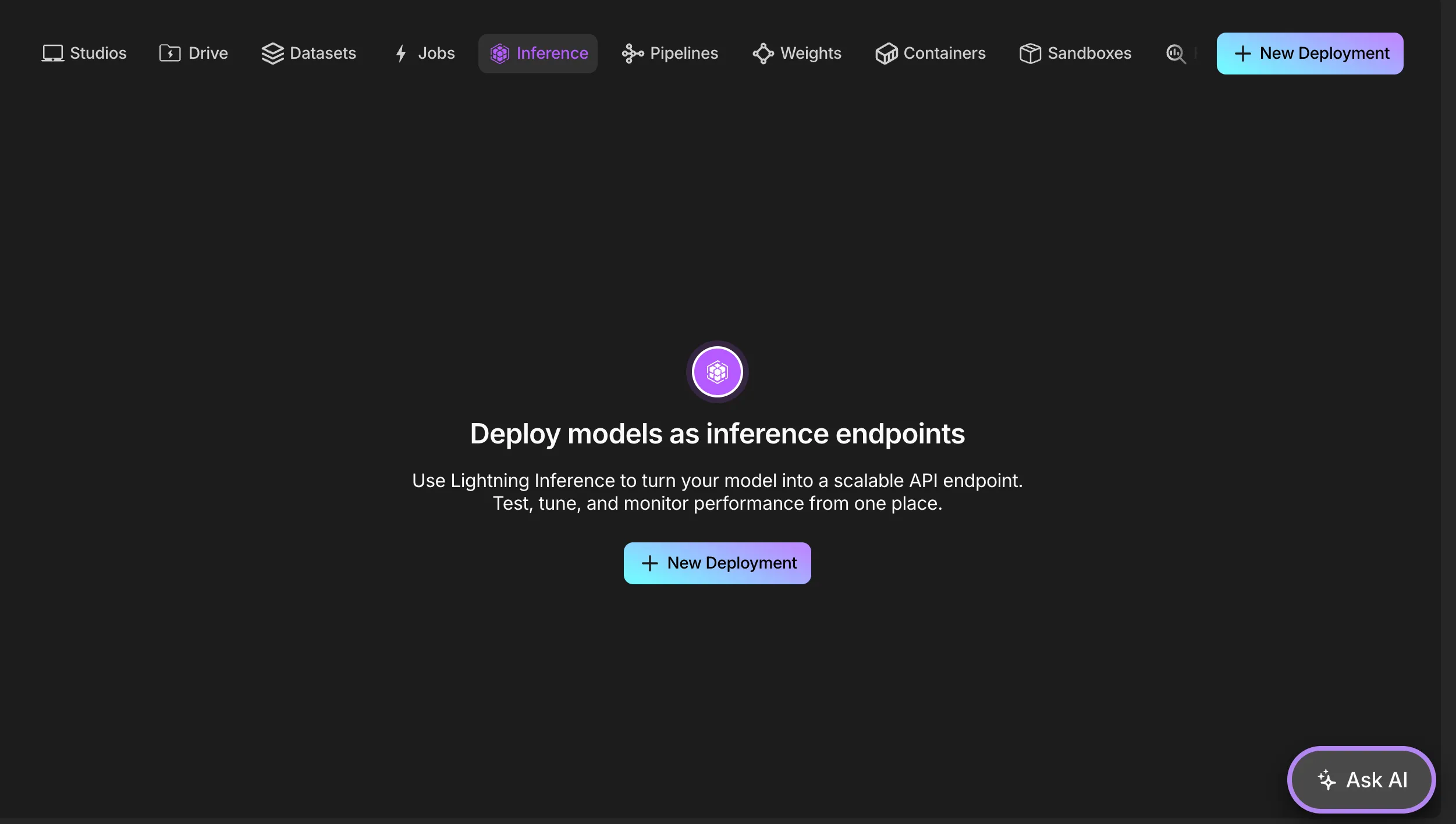
Click + New Deployment.
Select environment source Docker, and click Next.
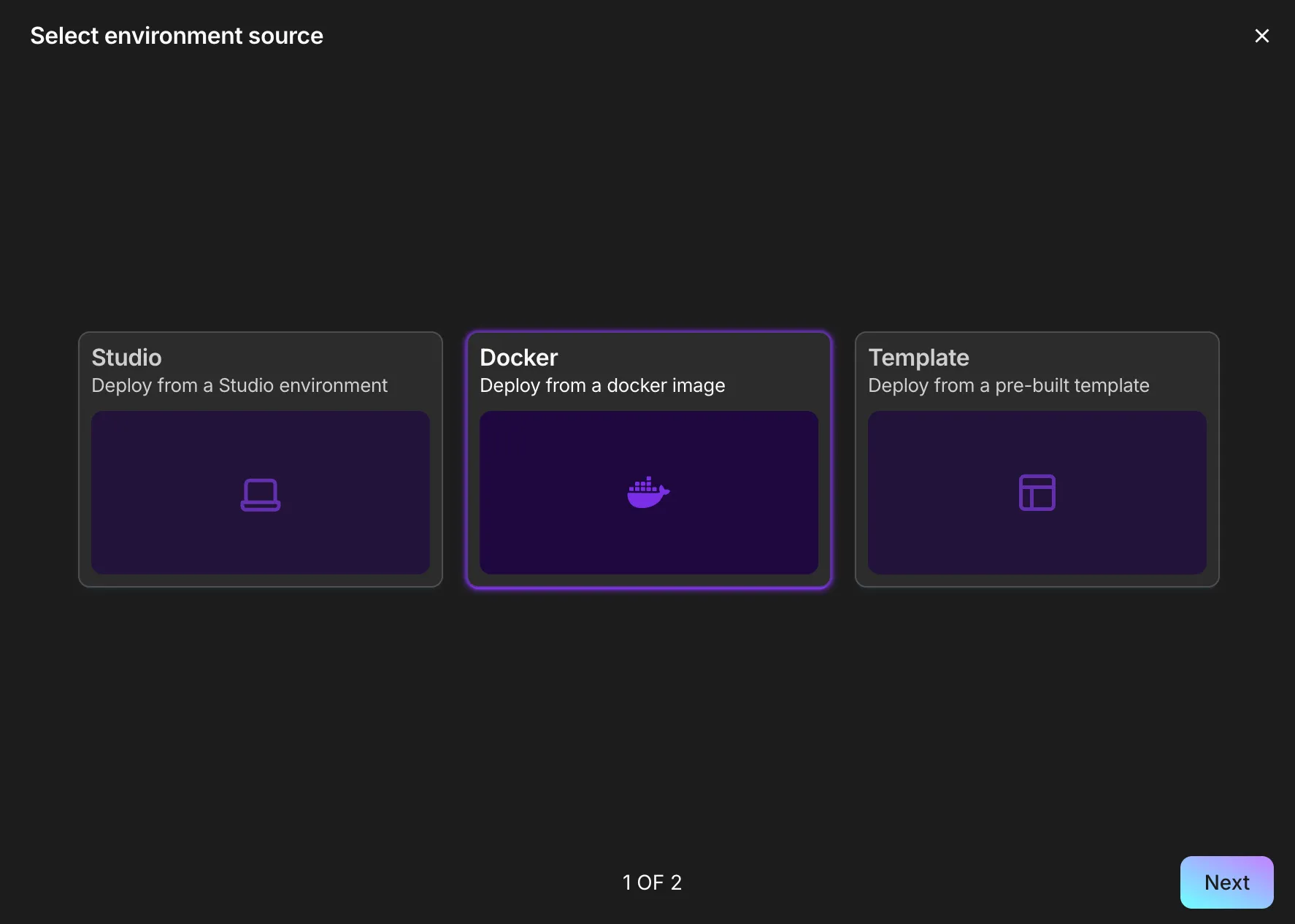
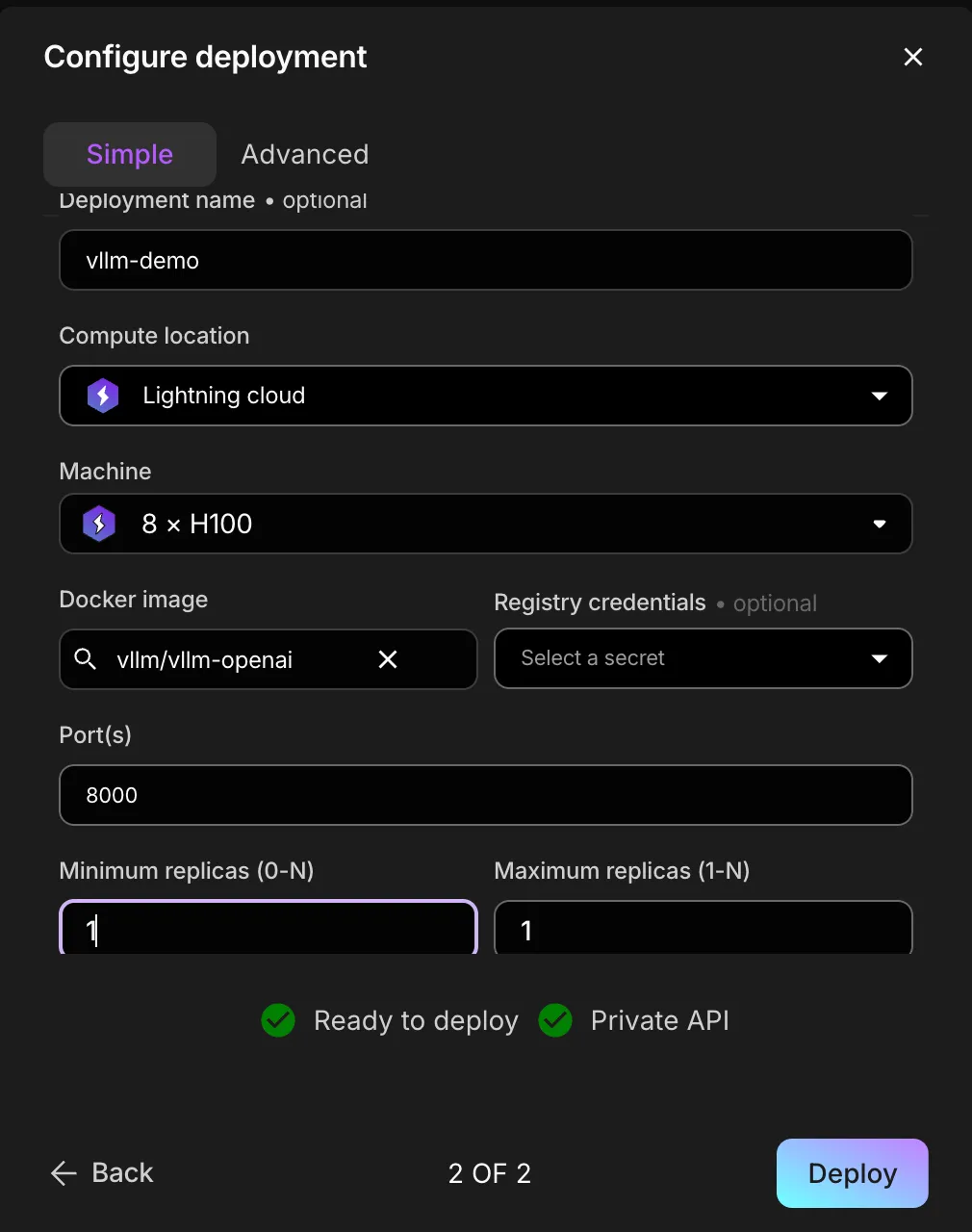
(Optional) Fill out the Deployment name field.
Select the desired machine type in the Machine field.
Enter
vllm/vllm-openaiin the Docker image field.Enter
8000in the Port(s) field.(Optional) Fill out the Minimum replicas (0-N) and Maximum replicas (1-N) fields (set the minimum to ≥ 1 for an always-on inference server).
Select the Advanced tab, and open the Container section.
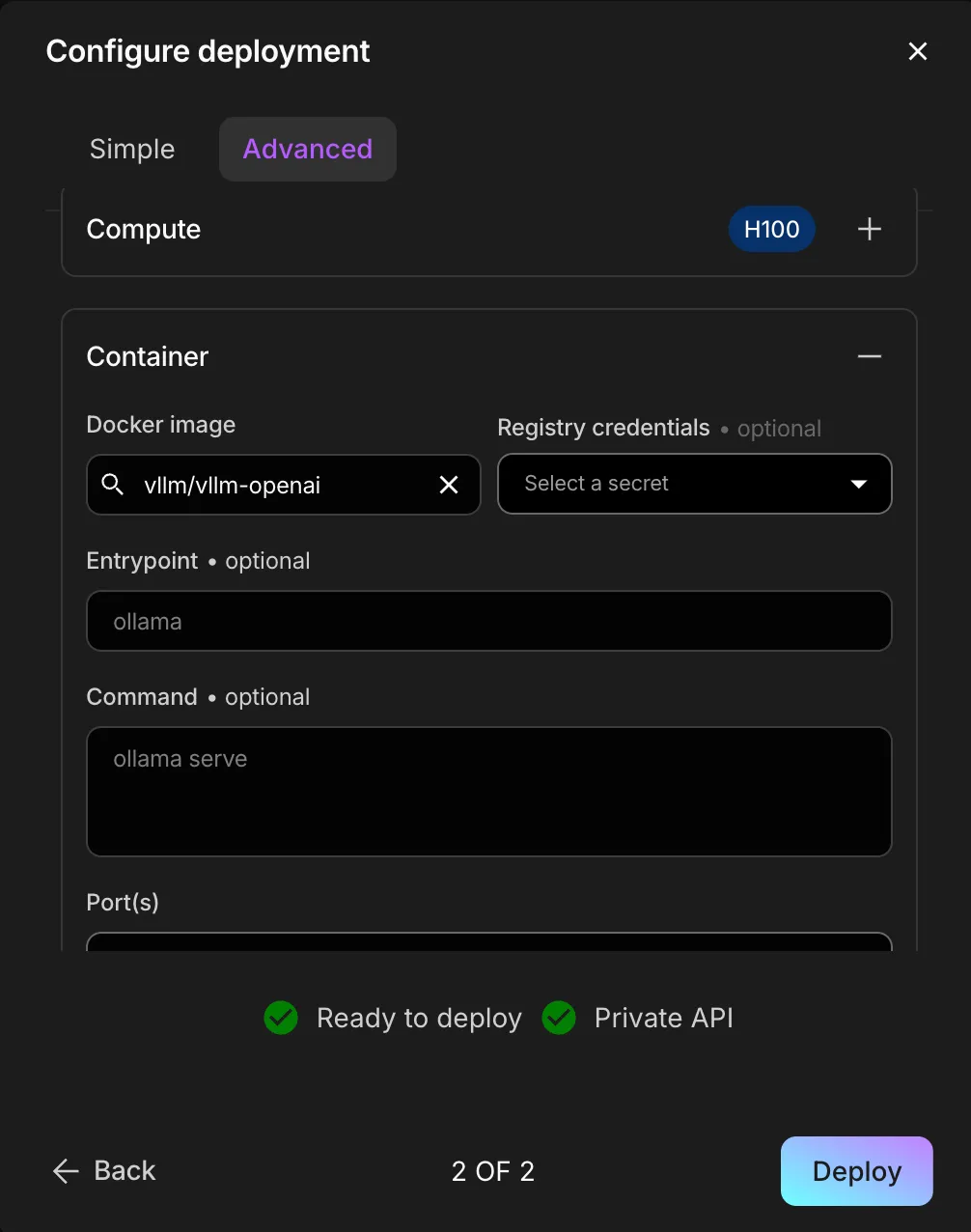
Enter your
vllm serve ...command into the Entrypoint field:vllm serve google/gemma-4-31B-it \ --host 0.0.0.0 --port 8000 \ --tensor-parallel-size 8 \ --reasoning-parser gemma4 \ --tool-call-parser gemma4 \ --enable-auto-tool-choice \ --gpu-memory-utilization 0.8
Reference https://recipes.vllm.ai/ for suggested launch configurations for open source models and various performance strategies.
- Click Deploy to launch your vLLM inference server!
Use custom weights
To serve custom weights, first upload them to the Lightning Model Registry:
lightning model upload <org-name>/<teamspace-name>/<model-name> --path <local-model-dir>Then, modify the Entrypoint and Command fields to download the weights before launching the vLLM server:
# Entrypoint
bash -c

# Command
pip install lightning-sdk && \
lightning model download <org-name>/<teamspace-name>/<model-name> --download-dir /model && \
vllm serve /model ...
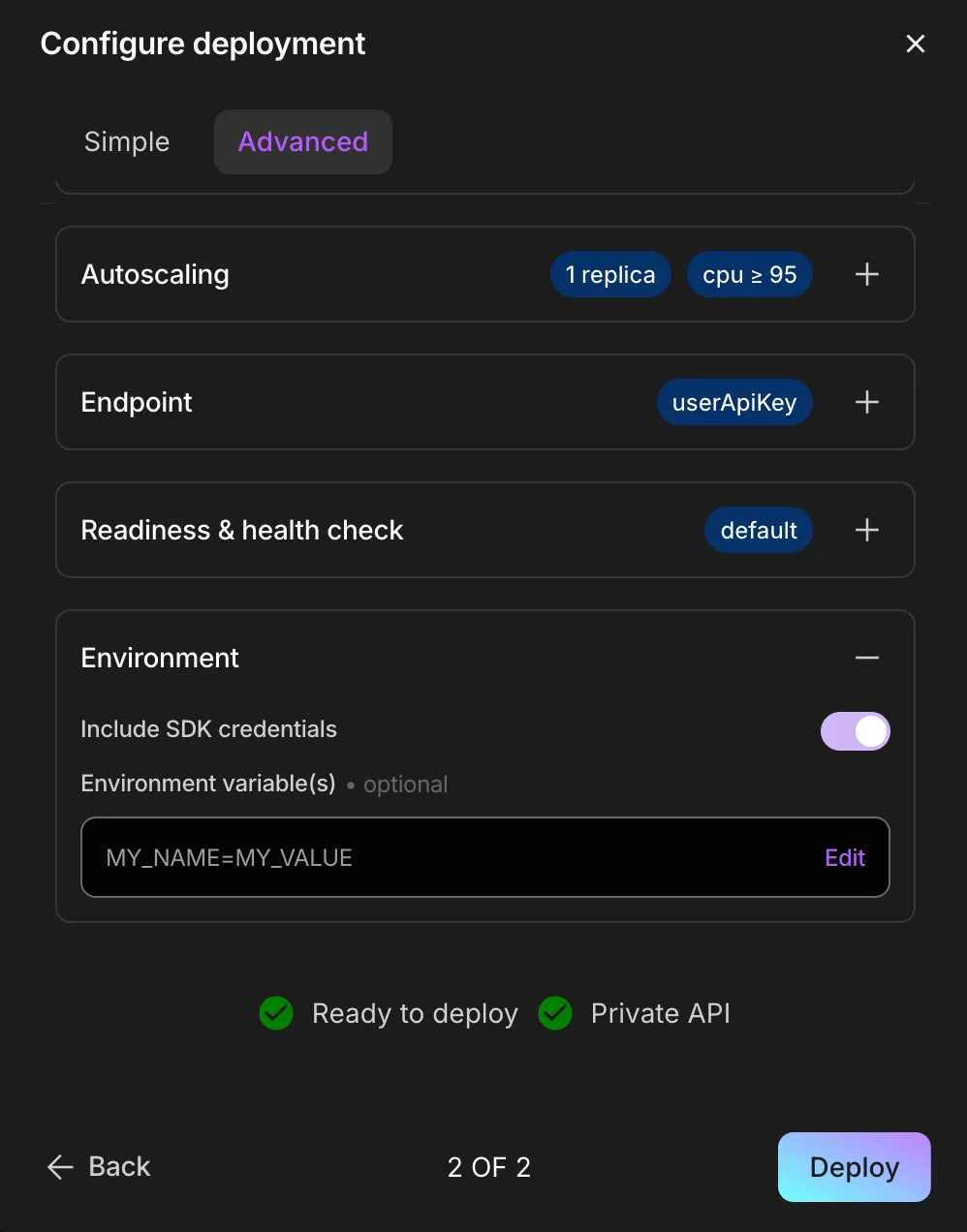
Finally, toggle on Include SDK credentials in the Environment section of the Advanced deployment settings.
Deploy the server via SDK
Deploy the vLLM server programmatically using the Lightning SDK for agentic use, CI/CD pipelines, production workflows, and more.
pip install lightning-sdkLaunch a google/gemma-4-31B-it server on Lightning AI 8xH100 GPUs
from lightning_sdk import CloudProvider, Deployment, Machine

d = Deployment(name="vllm-gemma-server", teamspace="general")
d.start(
    image="vllm/vllm-openai",
    cloud=CloudProvider.LIGHTNING,
    machine=Machine.H100_X_8,
    ports=[8000],
    entrypoint="vllm serve google/gemma-4-31B-it "
    "--host 0.0.0.0 --port 8000 "
    "--tensor-parallel-size 8 "
    "--reasoning-parser gemma4 "
    "--tool-call-parser gemma4 "
    "--enable-auto-tool-choice "
    "--gpu-memory-utilization 0.8",
)
Reference https://recipes.vllm.ai/ for suggested launch configurations for open source models and various performance strategies.
Use custom weights via SDK
To serve custom weights, first upload them to the Lightning Model Registry:
lightning model upload <org-name>/<teamspace-name>/<model-name> --path <local-model-dir>Configure entrypoint and command to download the weights before launching the vLLM server:
from lightning_sdk import CloudProvider, Deployment, Machine

d = Deployment(name="vllm-custom-server", teamspace="general")
d.start(
    image="vllm/vllm-openai",
    cloud=CloudProvider.LIGHTNING,
    machine=Machine.H100_X_8,
    ports=[8000],
    entrypoint="bash -c",
    command="pip install lightning-sdk && "
    "lightning model download <org-name>/<teamspace-name>/<model-name> "
    "--download-dir /model && "
    "vllm serve /model "
    "--host 0.0.0.0 --port 8000 "
    "--tensor-parallel-size 8 "
    "--gpu-memory-utilization 0.8",
)
Was this page helpful?
Thanks for the feedback.