
GCP artifact registry
Start a deployment from a private Docker image stored on a private GCP Artifact Registry. This feature is available when you attach your own GCP account to Lightning AI.
Enable GCP role
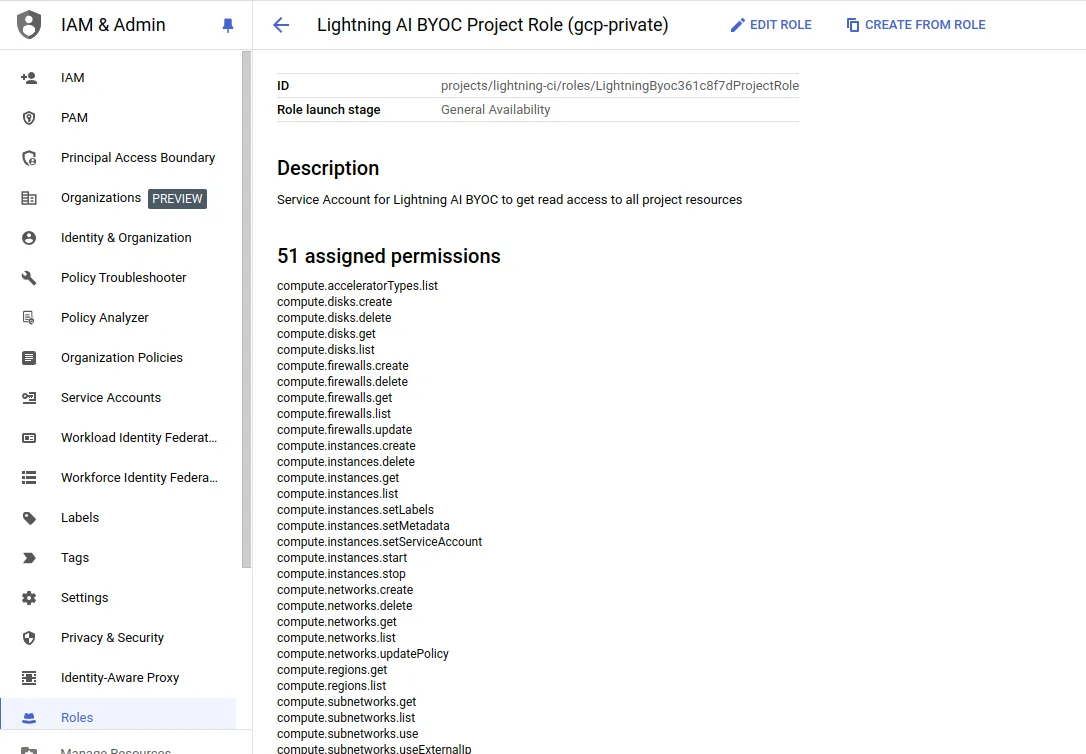
First step is to the give Lightning AI permission to pull images using the project role we created to attach your GCP account to Lightning AI.
- Find the project role that we created for your BYOC account. They are named "Lightning AI BYOC Project Role (
), permissions should look like:
- Edit the role to allow it to access your GCP Artifact registry:
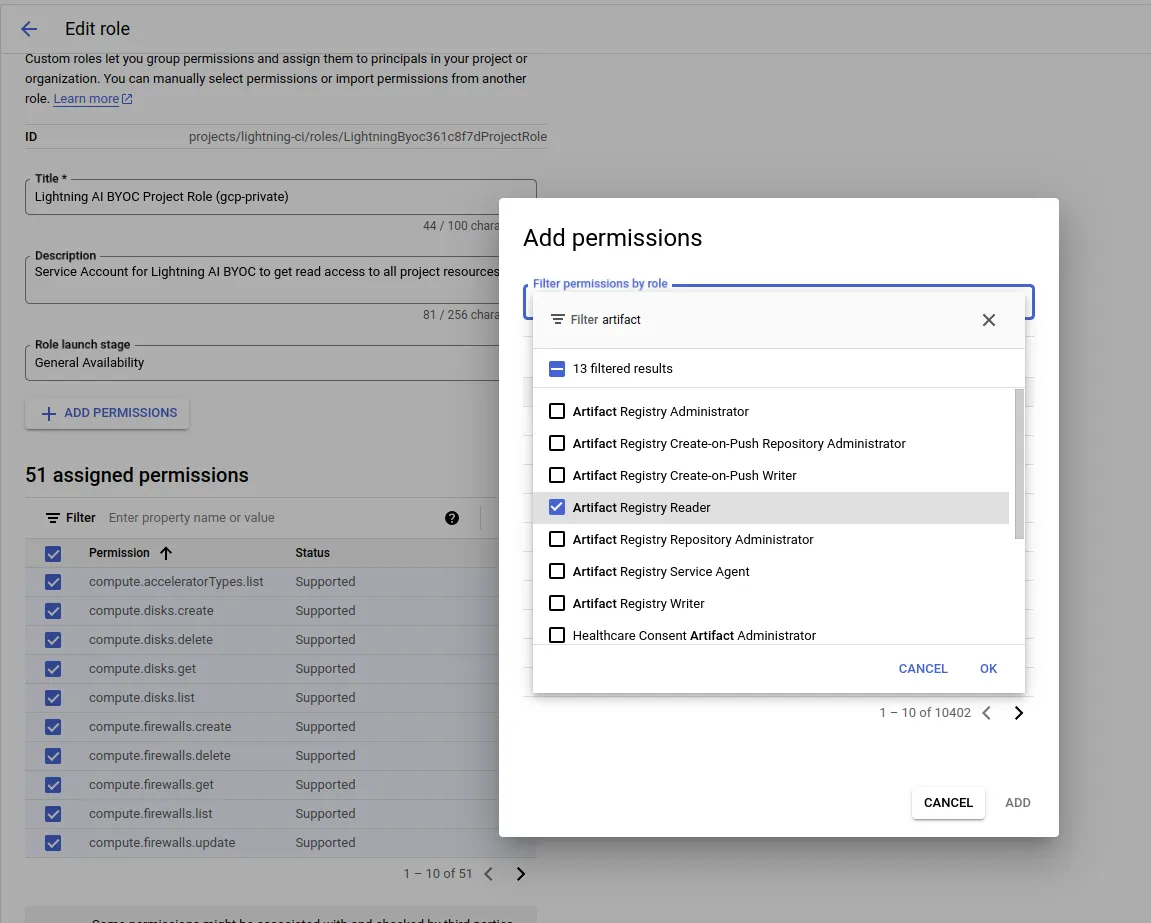
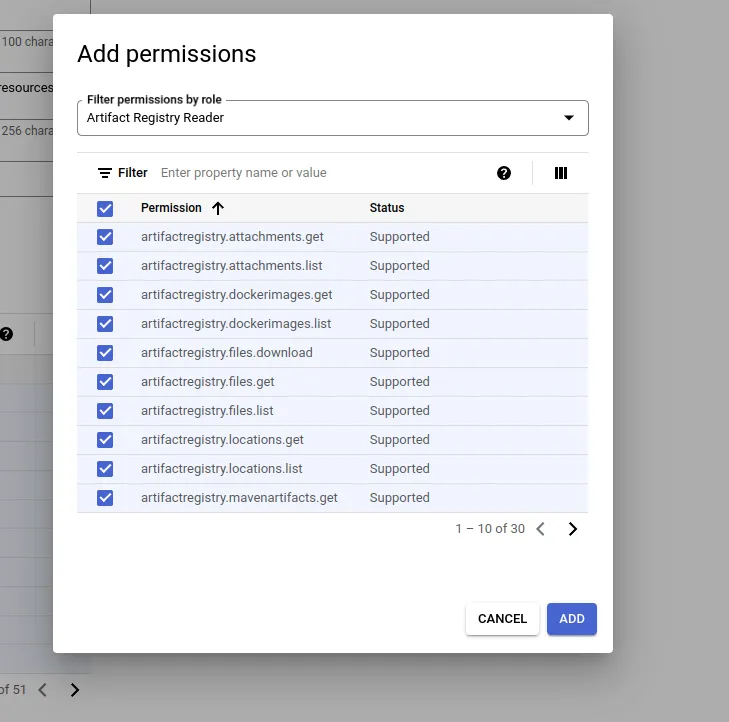
- Select all permissions to enable pulling images (it needs to list, download, etc.)
- Now, filter by "artifactregistry.repositories" (you can remove the create/delete permissions):
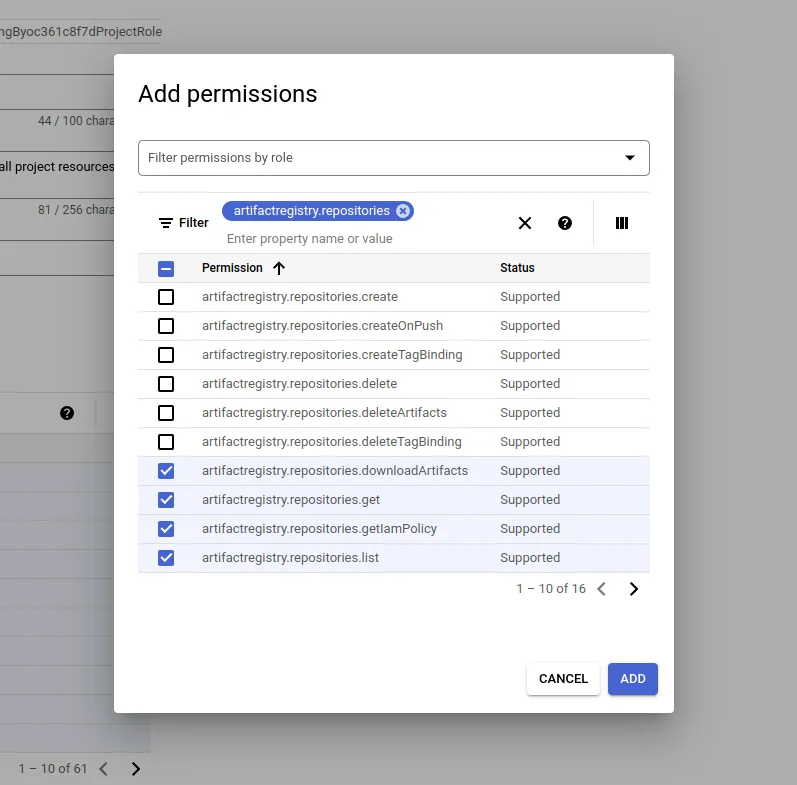
- Save the role.
Deploy
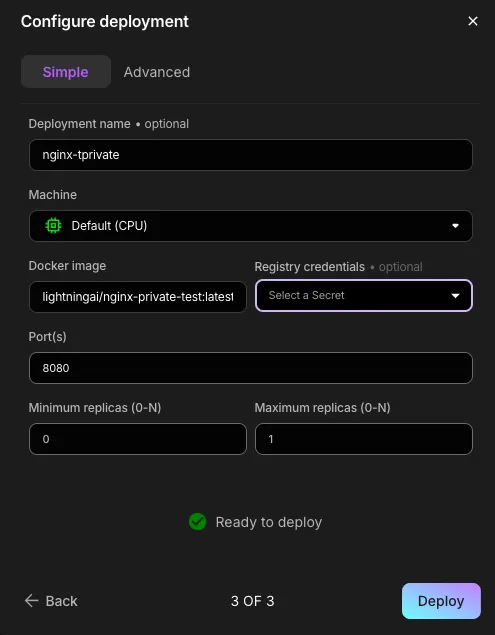
Choose the private image name and tag when starting the deployment.
Was this page helpful?
Thanks for the feedback.