
Examples
Hello world pipeline
The following example demonstrates how to create and execute a Lightning pipeline with multiple jobs using the lightning_sdk.
Code
from lightning_sdk.pipeline import Pipeline, JobStep
from lightning_sdk.machine import Machine

pipeline = Pipeline(name='first-pipeline')
pipeline.run(
  steps=[
      JobStep(
        name='job-1',
        image="ubuntu:latest",
        machine=Machine.CPU,
        command="sleep 9 && echo 'Hello, World!'"
      ),
      JobStep(
          name='job-2',
          image="ubuntu:latest",
          machine=Machine.CPU,
          command="sleep 9 && echo 'Hello, World!'",
      ),
      JobStep(
          name='job-3',
          image="ubuntu:latest",
          machine=Machine.CPU,
          command="sleep 9 && echo 'Hello, World!'",
      ),
  ]
)
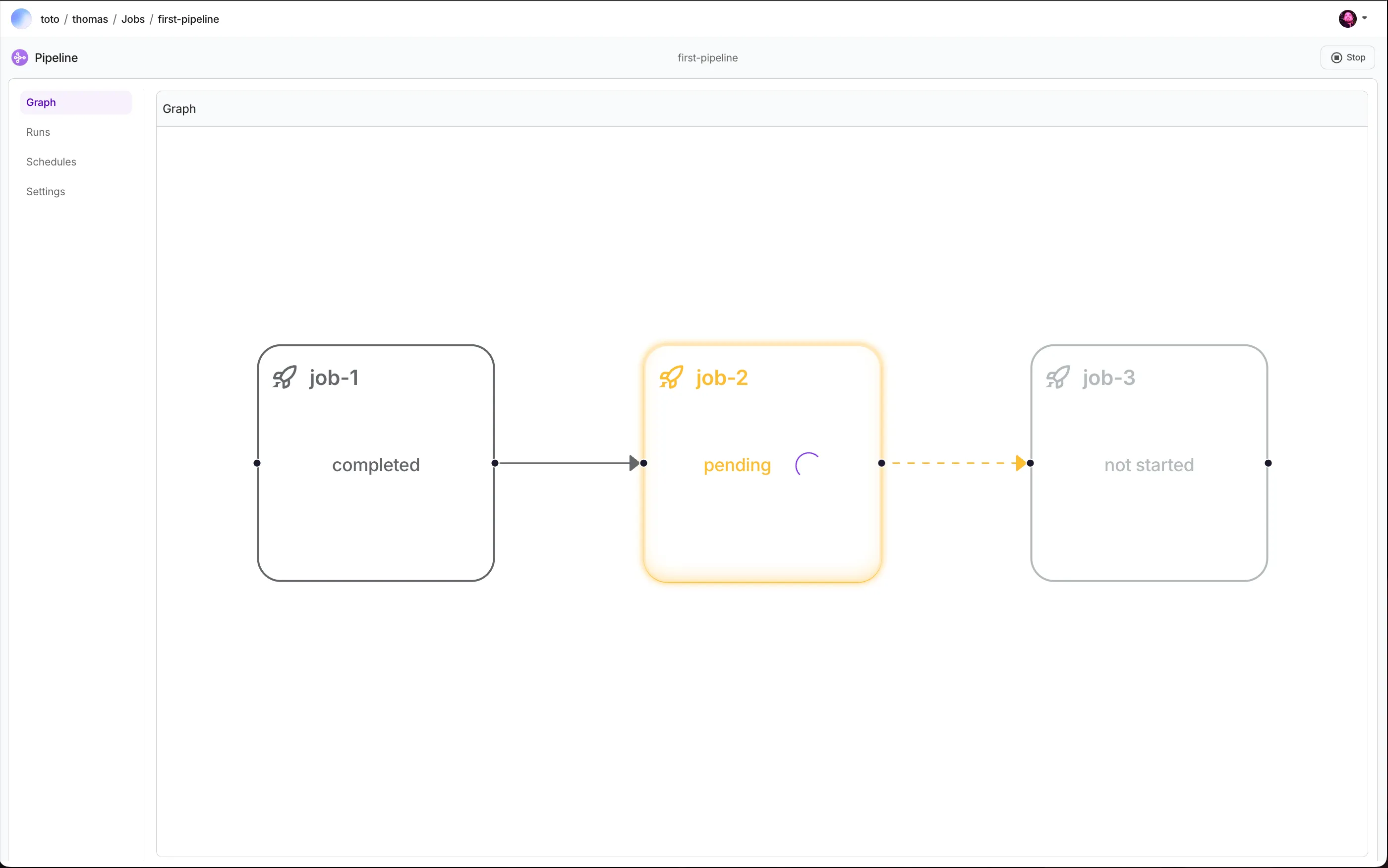
This script defines a pipeline named "first-pipeline" and runs three jobs sequentially.
Note: The pipeline are linear by default unless their structure is modified with wait_for.
===== Generated Pipeline =====
0 - Job['job-1'] wait_for nothing
1 - Job['job-2'] wait_for ['job-1']
2 - Job['job-3'] wait_for ['job-2']
===== ================== =====
The resulting Pipeline
Submit Studio environment as Job
Studio environments can be submitted as jobs.
from lightning_sdk.pipeline import Pipeline, JobStep, DeploymentStep, Studio

studio = Studio(name="train_and_deploy")
studio.start()
studio.run("git clone https://github.com/tchaton/pipeline_demo.git")

pipeline = Pipeline(name='train_and_deploy', studio=studio)
pipeline.run(
    steps=[
        JobStep(command="python pipeline_demo/train.py"),
        DeploymentStep(command="python pipeline_demo/server.py", ports=[8000]),
    ],
)
Was this page helpful?
Thanks for the feedback.