
The first easy to use agent
OpenClaw is no longer just a chatbot. It is a personal AI agent that can act on your behalf.
But as agents get smarter, they'll need more control because they can now delete your files, write emails for you, browse the internet, etc... 😳. If you want to run them 24/7 it becomes impractical to run these on your main laptop. As a result, people have started to buy a Mac mini as a dedicated AI box.
Another option is to run agents on a cloud laptop (Lightning Studio) where the agent gets its own cloud workspace ("laptop") so it can run 24/7 without touching your personal machine. There are many benefits to the cloud such as building agents with friends, sharing, etc... kind of like why google docs is better than word on a laptop.
Financially, one Studio is free, while a Mac mini starts at $599 upfront, and additional Studios only cost money when they are actually running.
Tip: you can run Clawdbot/OpenClaw instantly with zero setup and free below.
Open this Lightning Studio
What is OpenClaw/Clawdbot
OpenClaw is the closest thing we have today to a real-life Jarvis from Ironman (a super smart personal assistant).
OpenClaw (previously called Clawdbot) is an AI agent that can access your email, book appointments, read your files, schedule things, and take actions on your behalf. It is not just a chat window or a helper. It can act. That means you are giving it power and access to your digital life. That power is exciting, but it comes with responsibility. How and where you run an agent like this makes a big difference.
AI agents need security
Agents are powerful and unpredictable. You don’t want to just run these on your laptop. They can unknowingly delete files, get your passwords, use the browser as you, etc…
If you run one of these on your main laptop, it sits next to everything else you care about. Your documents, photos, passwords, browser sessions, and identity are all on the same machine and accessible to that agent if you give it permission. Even if OpenClaw does not try to be malicious, it can make mistakes that have real consequences. It can delete the wrong file, trigger the wrong action, or accidentally escalate its own access.
Most people quickly realize that running an always-on agent on the machine they use every day is not a good idea. That is where the idea of running it on a different machine (ie: a mac-mini) or in the cloud comes in.
Agents should run 24/7
One of the biggest benefits of these new agents is that they do not need to sleep.

OpenClaw can run all day and all night. It can monitor, remember, and act in the background. That is part of what makes it so useful. But personal laptops are not built for this. Laptops restart. They update unexpectedly. Wi-Fi issues happen. Storage fills up. These interruptions can break an agent that is supposed to run continuously. Something that starts as a fun project on your laptop can quickly become a frustration if you want it to run all the time.
Run multiple agents at once
Every agent uses memory, storage, and computing power.

Running one agent on a laptop might feel fine. But if you want more than one, your machine starts to slow down. If you want to test new versions, experiment with different configurations, or give different tasks to different agents, you quickly bump into the limits of one device. Each new agent adds complexity, and that makes a laptop a poor long-term home for this kind of software.
Option 1: use a mac-mini
A Mac mini turns your agent into a physical AI appliance that sits in your home.
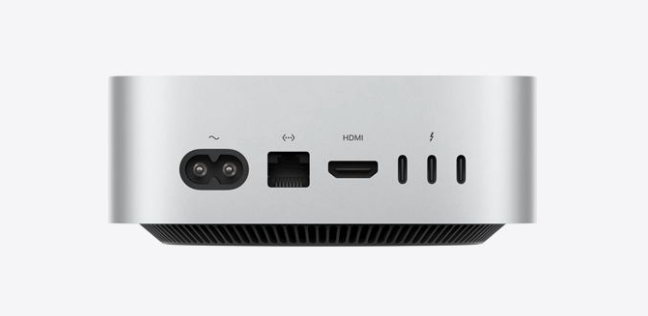
There is something appealing about this idea. You buy a small computer, plug it in, and let your agent run day and night without using your main laptop. That machine is separate. It can talk to your local devices, your network, and your shared storage without extra configuration. You pay once for hardware, and you own it.
Right now, the new Mac mini starts at $599 for the base model with the M4 chip. If you want a more powerful version with the M4 Pro chip, the price goes up, often well above $1,000 for larger memory or storage configurations. Prices for higher-end Mac mini options can get into the $1,500 to $2,000 range or more depending on specs and storage needs.
For many people this seems simple and straightforward, but there are tradeoffs.
If your agent misbehaves, it misbehaves on your own machine. If it installs something unsafe or poorly tested, it runs right next to your personal files. If you accidentally give it too much access, it has proximity to everything you care about. You are also responsible for keeping that machine running. If it reboots after an update, you have to restart the agent. If storage fills up, you have to resolve it. If something breaks, you fix it.
If you want multiple agents in isolation, you either run them all on the same machine and hope they do not conflict, or you buy more hardware. That quickly becomes expensive. Instead of one $600 or $1,000 machine, you might end up with two, three, or more if you want separate environments. This multiplies cost and complexity.
The positive side is real. If you want something that feels like your own device in your home and you are comfortable managing it, a Mac mini can be satisfying. It feels like an appliance that belongs to you.
Option 2: Run on the cloud
Running in the cloud solves most of the hardware and isolation problems but it has historically been hard for non-developers. [image]
Another option is to run this on the cloud which solves most of these problems. However, this can be very difficult for most - especially if you’re not a developer. This is where Lightning Studio comes in. You can simply “clone” this template and it will set up what is basically a “cloud laptop” for you (ie: a Lightning Studio). You don’t need to know anything about the cloud, etc…
For developers, it gives you built-in coding IDEs and the ability to ssh from a local IDE or terminal.
By the way, running clawdbot on the cloud instantly is free and easy, just click "clone" here.
Open this Lightning Studio
Studio - cloud laptop
A lightning studio is designed to emulate a desktop but on the cloud.
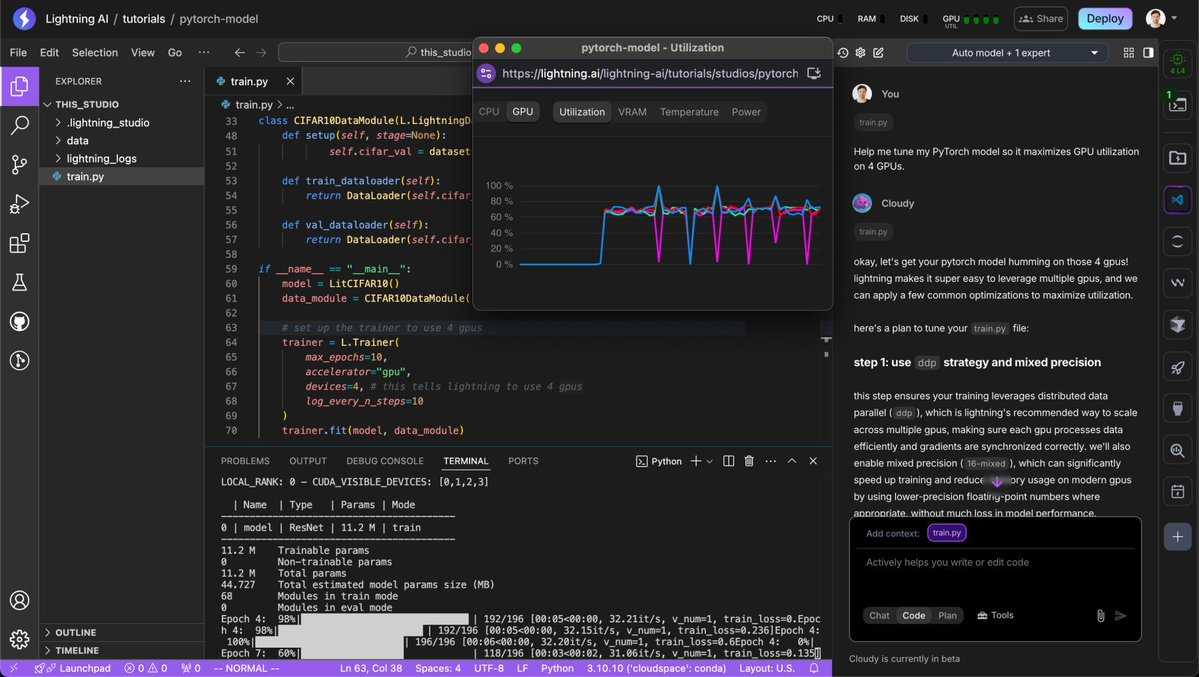
Instead of the agent living next to your documents and identity, it lives in its own environment that exists in the cloud. If you want one agent, you create one Studio. If you want multiple agents, you create multiple Studios. Each one is separate and isolated. If something goes wrong, you can delete that Studio and nothing else is affected. That makes experimenting safe and low risk. You can try new ideas, test plugins, and adjust configurations without the fear of breaking your main setup.
Your files stay where you put them. Your environment stays set up. If you close your browser, the agent can keep running. It can operate around the clock without interruptions from local updates or power issues. If it does nothing for a period of time, it can automatically sleep to save cost. It gives you the experience of a laptop or dedicated machine, except it never goes to sleep unwanted, never loses internet connection, and never needs manual restart after an update.
Google docs for building agents
When OpenClaw runs on a Mac mini in your home, it is effectively locked to that device, which makes collaboration awkward and technical. If someone wants to help you improve it or debug it’s very hard.
In a Lightning Studio, the agent lives online in a shared workspace. This means you can work on it with friends like you do with Google Docs. You can grant access, duplicate the setup, or experiment on a copy without breaking the original. This makes it far easier to build with a friend or to get help. It can also evolve from a side project to a real thing that runs 24/7 without exposing your personal computer or managing complicated installations.
Mac might be cheaper, but depends
A Mac mini starts at $599, and that is money you spend immediately whether your agent runs all day or barely at all. A Lightning Studio works differently. Your first 4-CPU Studio is free. That means you can run one OpenClaw agent continuously without paying anything for the computer itself. If you wanted a second always-on Studio running 24 hours a day, that would cost about $240 per month at $0.33 per hour. At that rate, it would take a little over two months to spend what a $599 Mac mini costs upfront.
But most people do not run agents at full power every hour of the month. Studios automatically sleep when idle, so you only pay while they are actually active. If that second Studio ran about six hours per day instead of nonstop, the monthly cost would be closer to $60. At that level, it would take around ten months to reach the cost of a base Mac mini. So the real question is not whether cloud or hardware is “cheaper.” It is whether you expect constant, heavy use, or something that turns on and off depending on how much your agent is actually working.
Next steps - run your own agent!
If you haven't tried creating your own OpenClaw agent, you can get started instantly without knowing how to code... simply click below > select "clone" > log in > and it'll start running and let you configure it!
Open this Lightning Studio
Read more blogs and case studies
• What is ZeroClaw? A Rust-Powered OpenClaw Alternative
• What is OpenClaw (Formely Clawdbot and Moltbot)?
• View all