---
title: Nodes
description: >-
A node is one GPU server in a fleet. Nodes are identified by their nodeName
(for example g1234). Use it wherever the API asks for a nodeId.
canonical: 'https://lightning.ai/docs/platform/cluster/fleets-and-nodes/nodes'
---
# Nodes {#nodes}
A node is one GPU server in a fleet. Nodes are identified by their `nodeName` (for example `g1234`). Use it wherever the API asks for a `nodeId`.
## List nodes in a fleet {#list-nodes-in-a-fleet}
**Console**
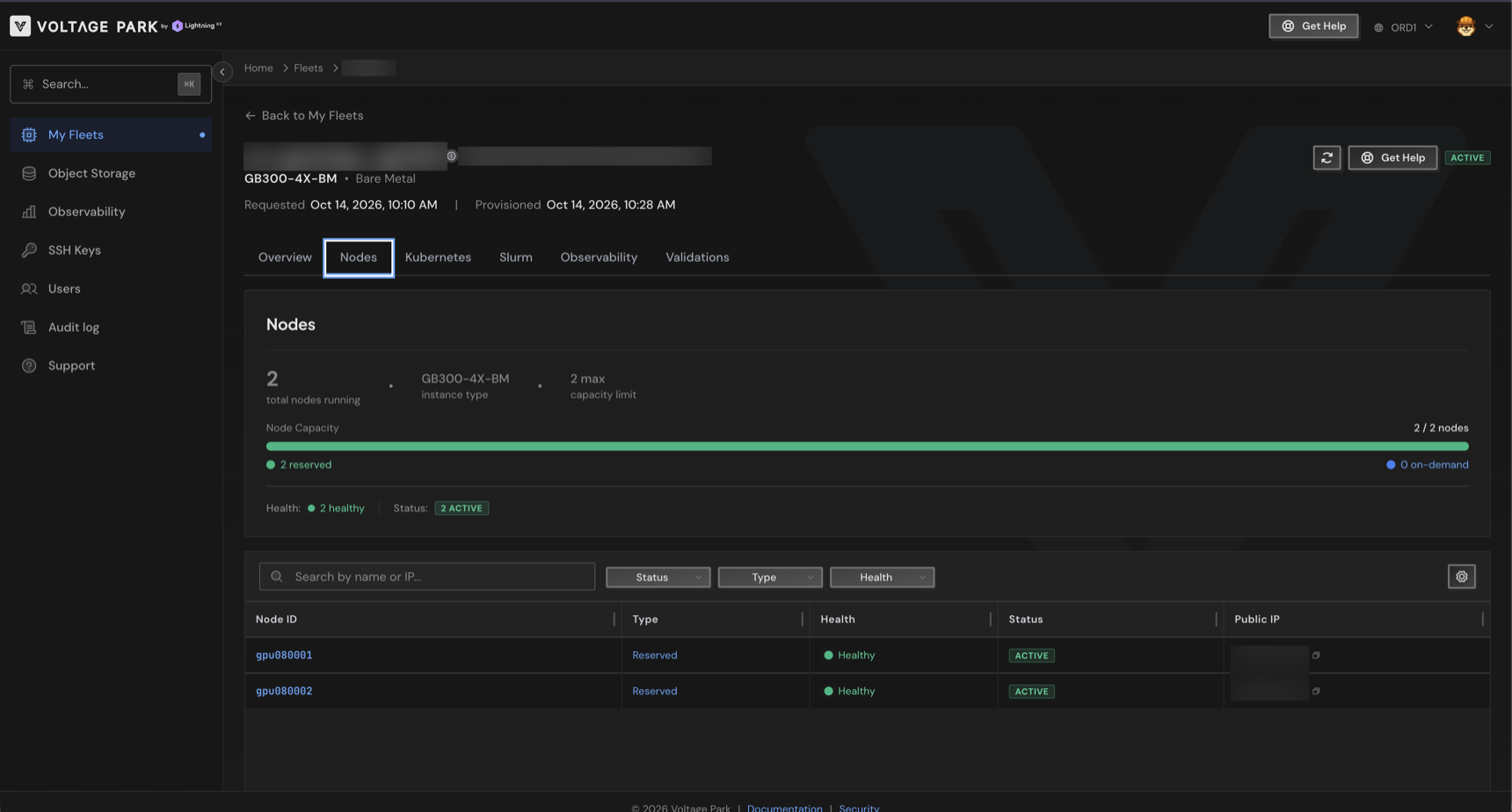
Open a fleet and select the **Nodes** tab.
 **API**
```bash
curl "$API_URL/v1/fleets/$FLEET_ID/nodes?limit=100" -H "Authorization: Bearer $TOKEN"
```
```json
{
"nodes": [
{
"nodeName": "g1234",
"fleetId": "f81d4fae-7dec-11d0-a765-00a0c91e6bf6",
"state": "ACTIVE",
"publicIp": "203.0.113.42",
"gpuType": "H100"
}
],
"nextToken": "..."
}
```
Up to 100 nodes are returned per page. Pass `nextToken` to get the next page.
| Field | Description |
|-------|-------------|
| `nodeName` | Node identifier. |
| `state` | Lifecycle state. See [Node states](/docs/platform/cluster/get-started/core-concepts.md#node). |
| `publicIp` | Address to connect to over SSH. |
| `gpuType` | GPU model. This is free-form text, not a fixed list, so new hardware models appear without an API change. |
## Get a node {#get-a-node}
**Console**
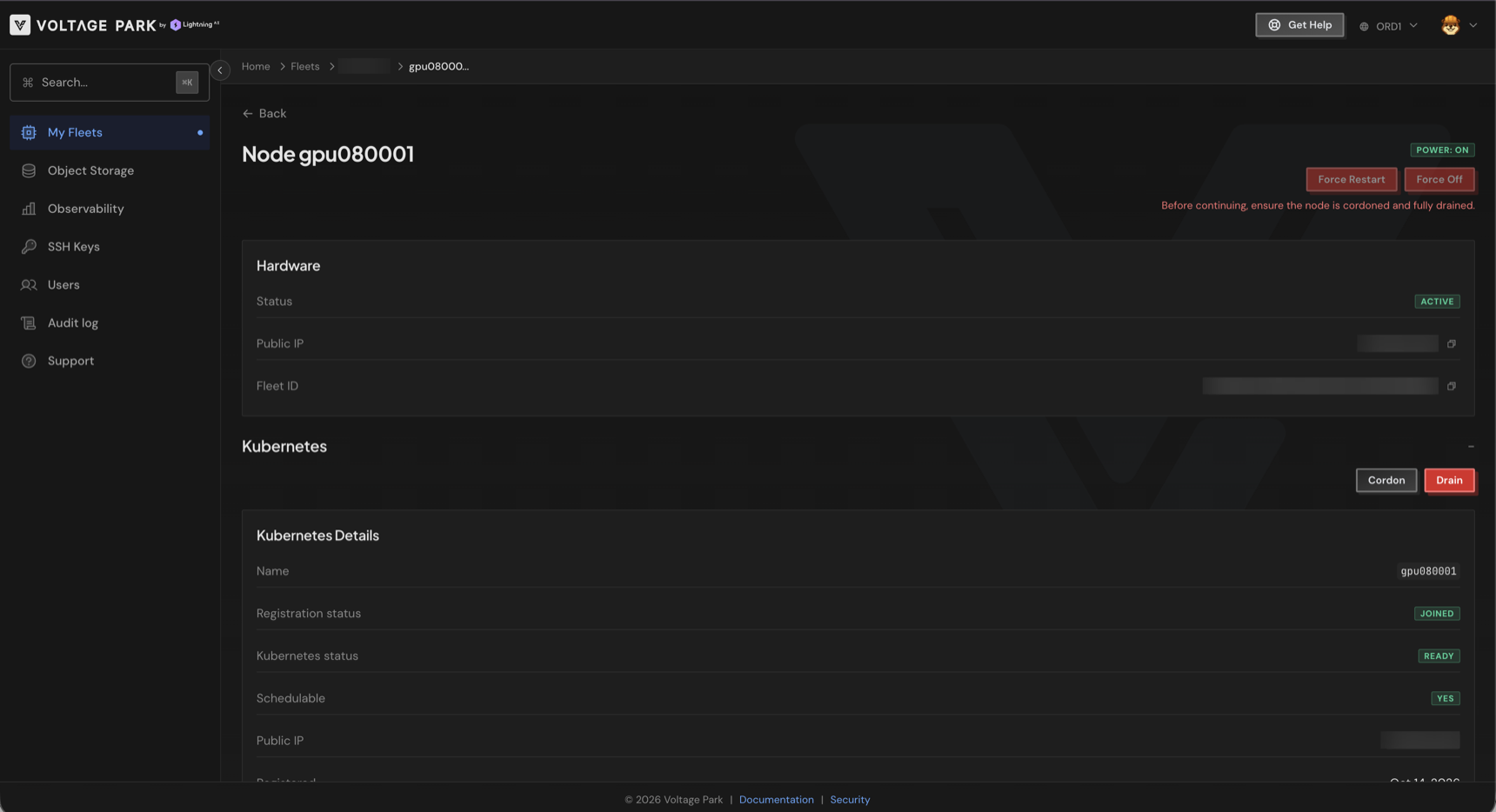
Select a node on the fleet's **Nodes** tab to open its detail page.
 **API**
```bash
curl "$API_URL/v1/fleets/$FLEET_ID/nodes/$NODE_ID" -H "Authorization: Bearer $TOKEN"
```
## Consolidated node details {#consolidated-node-details}
`GET /nodes/{nodeId}/details` returns the node's details in one call: its state and public IP, whether disruptive power actions are safe right now, and data from managed services such as Kubernetes.
```bash
curl "$API_URL/v1/fleets/$FLEET_ID/nodes/$NODE_ID/details" -H "Authorization: Bearer $TOKEN"
```
```json
{
"nodeName": "g1234",
"fleetId": "f81d4fae-7dec-11d0-a765-00a0c91e6bf6",
"state": "ACTIVE",
"publicIp": "203.0.113.42",
"powerActionReadiness": {
"ready": false,
"blockerMessage": "Before continuing, ensure the node is cordoned and fully drained.",
"warningMessage": ""
}
}
```
### Power action readiness {#power-action-readiness}
`powerActionReadiness` tells you whether a disruptive power action (shut down or restart) is safe to run on this node:
- `ready: true` means no known blocker was found. A non-empty `warningMessage` is advisory and doesn't change readiness.
- `ready: false` means `blockerMessage` explains what to do first. For example, a node that is a Kubernetes worker should be [cordoned and drained](/docs/platform/cluster/managed-kubernetes.md#cordon-drain-and-uncordon-worker-nodes) first.
Show these messages to users as-is. Don't try to work out readiness yourself from other fields. Powering a node **on** is never blocked by readiness.
`managedServices` is omitted when no managed service is attached to the node.
## Connecting to a node {#connecting-to-a-node}
Nodes accept SSH on their `publicIp`, using the username and keys registered in [SSH keys](/docs/platform/cluster/access/ssh-keys.md):
```bash
ssh jdoe@203.0.113.42
```
## Related {#related}
- [Node power](/docs/platform/cluster/fleets-and-nodes/node-power.md): power on, shut down, or restart a node.
- [Fleet health](/docs/platform/cluster/monitoring/fleet-health.md): per-node health across the fleet.
---
**Navigation**
- Parent: [Compute](/docs/platform/cluster/fleets-and-nodes.md)